
Shopify PDP Image Generator
This guide focuses on Shopify PDP image systems that help shoppers understand benefits, trust cues, use cases, and product details before buying.
CommercePix AI by AISellerKit
Shopify PDP Image Generator for Product Detail Pages
Workflow Overview
Choose the right next step
Workflow focus
Shopify PDP image generator
Best fit
E-commerce teams evaluating a product-image workflow
Start the workflow
Start generatingBuild the PDP as a sequence
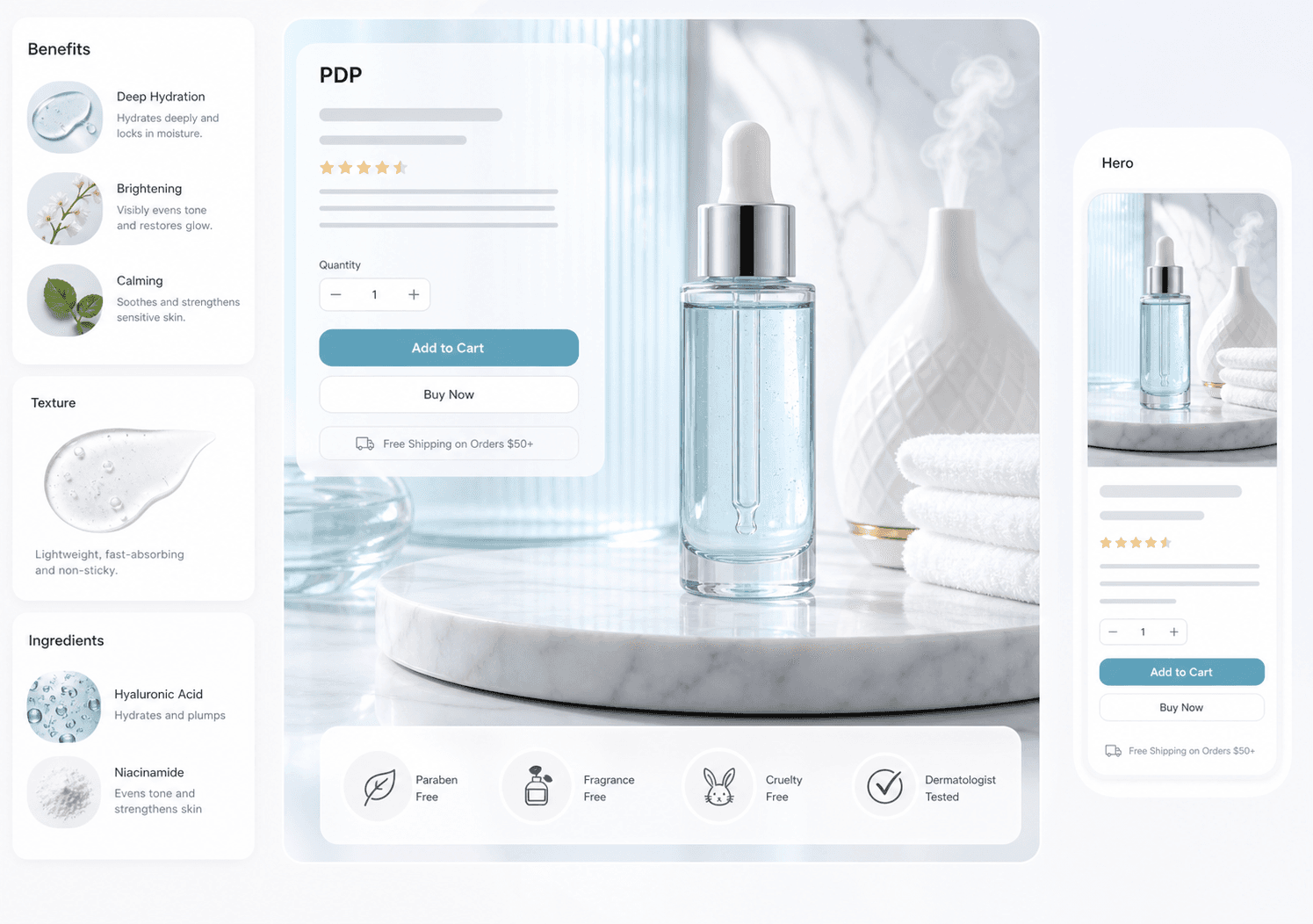
A Shopify PDP should not rely on one hero image. Stronger pages use a sequence of visuals that explain why the product matters.
Keep brand context and SKU context together
SKU projects help preserve product references while allowing the PDP pack to carry brand tone, language, aspect ratio, and storefront placement.
Reduce the gap between ad and PDP
If paid social drives traffic to Shopify, the PDP visuals should reinforce the same promise instead of restarting the story.
US and European storefront checklist
For a US or European Shopify storefront, let each image answer one stage of the purchase decision: recognition, benefit, proof, use case, or detail. Keep the landing-page copy, localized measurements, and campaign promise aligned.
FAQ
What is a Shopify PDP image generator?
It is an AI workflow for creating product detail page visuals such as hero banners, benefit modules, use-case scenes, and trust visuals.
How is it different from a Shopify hero image generator?
A hero image is one section. A PDP image generator supports the full product detail sequence after the first impression.
Should Shopify PDP images be generated as a pack?
Yes, because PDP images work best when they explain a product in a coherent order.
Ready to apply this workflow?
Create the next product visual
Use the Shopify PDP image generator workflow with your product references, then review the result against the destination channel before publishing.
Related resources
Product Detail Page Image Generator
Create product detail page visuals that explain features, benefits, ingredients, dimensions, and usage with stronger ecommerce storytelling.
Shopify Product Image Generator Guide
Understand how a Shopify product image generator supports storefront hero visuals, collection banners, PDP assets, and seasonal campaign updates.
AI Product Image Generator Guide
Learn how an AI product image generator helps e-commerce teams create product photos, hero images, detail visuals, and marketplace-ready assets faster.
Ecommerce Hero Banner Generator
Generate ecommerce hero banners for collection launches, DTC landing pages, seasonal campaigns, paid traffic, and product storytelling.
Resource center
A central entry point for guides, examples, templates, industry pages, and channel hubs.
AI product image resources
Browse guides, comparisons, templates, examples, and production use cases.
AI product image software resources
Cover software evaluation, creative automation, PDP optimization, and ecommerce buying intent.
Amazon and Shopify image resources
See how marketplace and storefront image systems differ.
E-commerce video
Alongside product-image workflows, CommercePix AI supports e-commerce video generation from a product start image and a short creative direction. It helps teams explore product motion for PDP heroes, short-form ads, and social previews, while keeping task history in the same account workspace. Teams must review every result for product accuracy and channel compliance before publishing.
Industry pages
Explore category-specific workflows for beauty, electronics, home, pet, and more.
Examples
Inspect public examples for detail pages, hero visuals, and marketplace sets.
Templates
Use reusable prompt and workflow templates for production tasks.