
Amazon Product Video Workflow
Amazon Product Video Workflow. Alongside product-image workflows, CommercePix AI supports e-commerce video generation from a product start image and a short creative direction. It helps teams explore product motion for PDP heroes, short-form ads, and social previews, while keeping task history in the same account workspace. Teams must review every result for product accuracy and channel compliance before publishing.
CommercePix AI by AISellerKit
Amazon Product Video Workflow | CommercePix AI
Workflow Overview
Choose the right next step
Workflow focus
Amazon Product Video Workflow
Best fit
E-commerce teams evaluating a product-image workflow
Start the workflow
Create an e-commerce videoExtend a product image into video creative directions
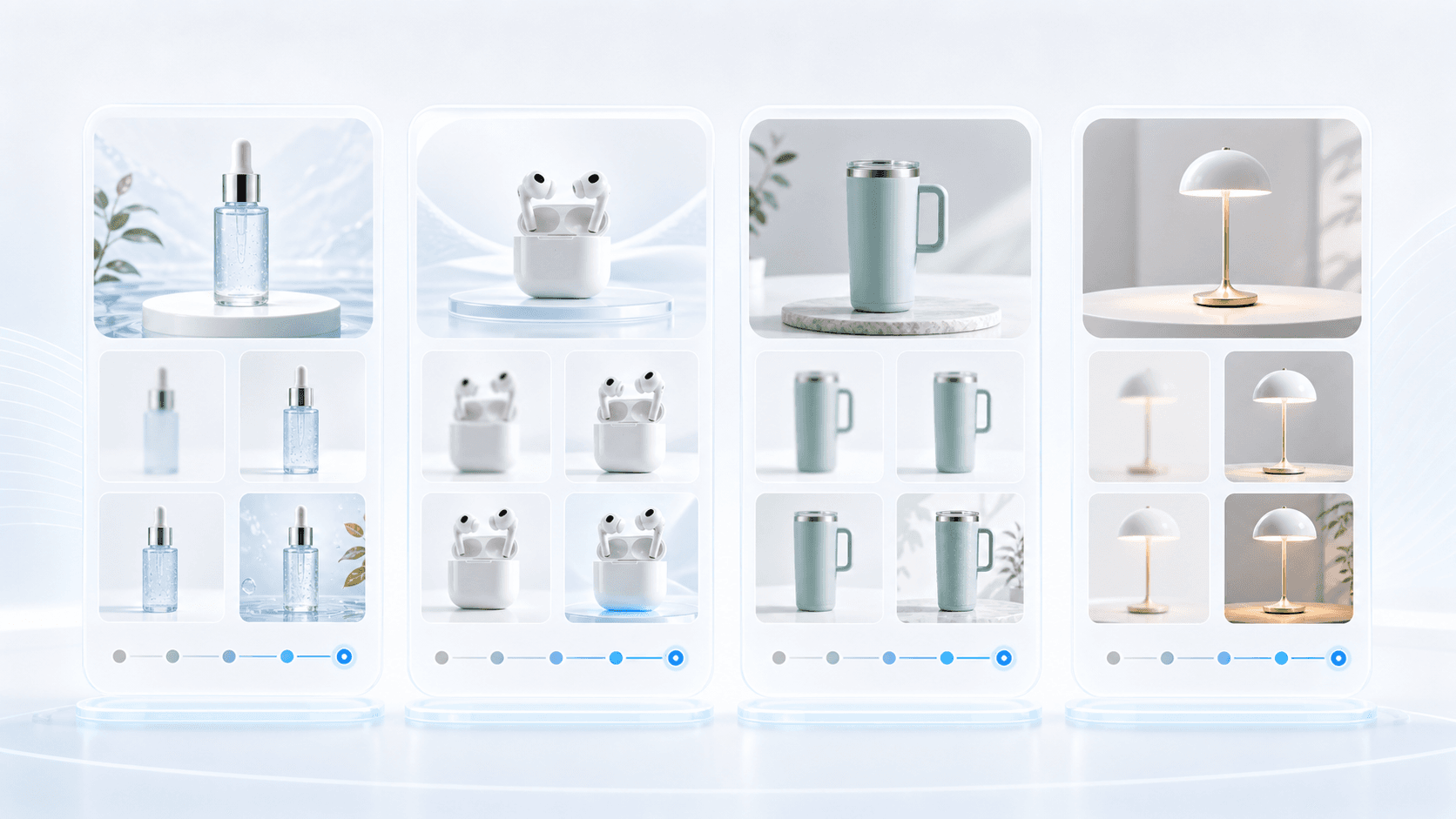
These static cards show video creative directions, not finished video files: select an accurate product start image, then render the direction in the e-commerce video workflow.
Product-image-to-video creative directions
These static examples show where an e-commerce video starts: bring an accurate product image into the video workflow for product orbit, detail push-in, or lifestyle motion, then review every output before publishing.
US and European Amazon checklist
Choose the destination marketplace before briefing. For Amazon.com and European Amazon stores, use the exact SKU reference, keep the lead image distinct from supporting images, and validate the final asset against the current category requirements before upload.
FAQ
What can AI e-commerce video generation help me create?
It turns a clear product start image and a short video direction into a product-motion concept for PDP heroes, short-form ads, social previews, and launch tests. Review product details, on-screen text, and channel rules before publishing.
What assets and rights are required for e-commerce video generation?
Use a clear product image and upload only products, people, brands, and scenes that you own or are authorized to use. The inputs needed for the task are sent to configured video-model services and the result is saved in your task history.
Can I generate an e-commerce video from one product image?
Yes. Start with a clear, accurate product image and describe the desired motion or scene in the e-commerce video workflow. Review product details, text, and channel requirements before publishing any AI-generated result.
Ready to apply this workflow?
Create a reviewable product video
Use the Amazon Product Video Workflow workflow with your product references, then review the result against the destination channel before publishing.
Related resources
Shopee Product Video Workflow
Shopee Product Video Workflow. Includes product-image-to-video creative directions for e-commerce motion.
TikTok Shop Product Video Workflow
TikTok Shop Product Video Workflow. Includes product-image-to-video creative directions for e-commerce motion.
Shopify PDP Product Video Workflow
Shopify PDP Product Video Workflow. Includes product-image-to-video creative directions for e-commerce motion.
Amazon Listing Image Generator Guide
See how an Amazon listing image generator can help sellers create main-image directions, lifestyle scenes, feature callouts, and benefit visuals faster.
Resource center
A central entry point for guides, examples, templates, industry pages, and channel hubs.
AI product image resources
Browse guides, comparisons, templates, examples, and production use cases.
AI product image software resources
Cover software evaluation, creative automation, PDP optimization, and ecommerce buying intent.
Amazon and Shopify image resources
See how marketplace and storefront image systems differ.
E-commerce video
Alongside product-image workflows, CommercePix AI supports e-commerce video generation from a product start image and a short creative direction. It helps teams explore product motion for PDP heroes, short-form ads, and social previews, while keeping task history in the same account workspace. Teams must review every result for product accuracy and channel compliance before publishing.
Industry pages
Explore category-specific workflows for beauty, electronics, home, pet, and more.
Examples
Inspect public examples for detail pages, hero visuals, and marketplace sets.
Templates
Use reusable prompt and workflow templates for production tasks.